
ACE Money Transfer
ACE Money Transfer
17 Sep 2026
Choosing a credit card processor can feel like comparing phone plans - the advertised rate rarely tells the whole story. For small businesses in 2026, the stakes are higher than ever. Consumers expect to pay with tap, chip, digital wallets, and online checkout across multiple sales channels, and every fraction of a percent in processing fees directly affects your cash flow.
This guide breaks down the 10 best credit card processing companies, their real-world costs, the hidden fees that catch merchants off guard, and how to match a processor to your business model. Whether you run a food truck or a SaaS platform, you'll walk away knowing exactly what to look for - and what to avoid.
If you need the short version, here are the best credit card processors for small businesses right now, along with what each does best and what you'll pay at the door.
Square - Best for mobile and in person transactions. ~2.6% + $0.10 in-person, ~2.9% + $0.30 online. No monthly fee on the free plan.
Stripe - Best for online businesses, SaaS, and omnichannel. ~2.9% + $0.30 online, ~2.7% + $0.05 in-person. No monthly fee for standard usage.
Helcim - Best for transparent interchange plus pricing. IC + ~0.30–0.40% + $0.08. No monthly fee on most tiers.
PayJunction - Best for integrations and cloud-based terminals. Custom interchange-plus quotes, ~$35/month starting fee.
Payline Data - Best for high risk merchants and specialized industries. IC-plus with monthly fees ~$35+; quote-based for high-risk verticals.
Stax - Best subscription model for higher transaction volumes. ~$99–$199/month + interchange + minimal per-transaction markup.
Shopify Payments - Best for integrated online store processing. ~2.5–2.9% + $0.30 depending on Shopify plan tier.
Authorize.net - Best gateway for flexible merchant accounts. $25/month + 2.9% + $0.30 (all-in-one) or $25/month + $0.10/tx (gateway only).
Merchant One - Best for fast, white-glove onboarding. Swiped: 0.29–1.55%, keyed: 0.29–1.99%, ~$13.95/month.
PayPal - Best for ease of use and customer trust. ~2.99% + $0.49 online, ~2.29% + $0.09 in-person via Zettle.
These evaluations reflect typical 2026 pricing and feature sets. Your actual quote will depend on your industry, risk profile, monthly transactions, and card mix. Treat these as starting points, not guarantees.

A credit card processor handles money coming in from customers. But most merchants also need to send money out - paying overseas suppliers, compensating international contractors, or moving funds across borders for inventory purchases. That's a different job, and your card processor usually isn't built for it.
ACE Money Transfer is a money transfer app that can complement payment processing setups in 2026. It's purpose-built for cross-border transfers with competitive FX rates, fast delivery in popular corridors, and a clean mobile app experience.
Here's why it stands out for businesses seeking an efficient outbound payment system:
Supports international money transfers across multiple currencies and countries, including corridors such as UK–India, EU–Pakistan, and Gulf–Philippines.
Offers competitive foreign exchange rates compared to traditional banks, which often apply wide spreads on international payments.
Low or transparent transfer fees, with clear pricing before you confirm.
Fast processing times in high-volume corridors, often same-day or next-day delivery.
Strong mobile app UX for managing transfers on the go, plus an online dashboard for business users.
Rates and fees may vary, and exchange rates fluctuate, so the rate you receive may differ from any quoted rate. Always check the live rate at ACE Money Transfer before sending.
In practice, the workflow looks like this: you use a credit card processing solution like Square or Stripe to accept payments from customers, then use Ace Money Transfer to pay your fabric supplier in Pakistan or your developer in the Philippines. Keeping these roles separate gives you better rates on both sides and clearer compliance.
Before comparing payment processing providers, it helps to understand what actually happens when a customer taps, dips, or types in a credit card number. The entire flow takes seconds but involves several players and stages.
The four stages of a credit card payment:
Authorization - The merchant's terminal or payment gateway sends the transaction details to the acquiring bank, which routes them through the card network (Visa, Mastercard, AmEx) to the customer's issuing bank. The issuer checks the card's validity, available balance, and fraud signals, then sends back an approval or decline.
Authentication - This confirms the cardholder is legitimate. In person, that means PIN entry, EMV chip verification, or NFC tap. Online, it involves CVV checks, address verification (AVS), and sometimes 3D Secure authentication. Validation of credit card data includes tokenization and EMV chip support, which protect sensitive information at this stage. Encryption methods secure transaction data during processing.
Clearing - At the end of the day (or in real time), batched transactions are sent through the card network to issuing banks, which calculate how much they owe the acquiring bank minus interchange and assessment fees.
Settlement - The net funds land in the merchant's bank account. Timing ranges from same-day to 2–3 business days depending on the processor and risk profile.
Key actors to know:
Merchant - Your business, accepting card payments.
Acquiring bank (acquirer) - Holds your merchant account and receives settlement funds on your behalf.
Issuing bank - The bank that issued the customer's card.
Card network - Visa, Mastercard, AmEx, Discover. They set interchange rates, rules, and handle dispute routing.
Payment processor - Routes transaction data and handles the technical plumbing. Sometimes also the acquirer.
Payment gateway - Software layer (especially for online payment transactions) that transmits data securely between your site and the processor.
A quick clarification: "credit card processor," "payment processor," and "merchant account provider" are often used interchangeably, but they can refer to different functions. A payment processor handles transaction routing. A merchant account provider gives you the legal account to receive funds. A payment service provider (PSP) like Square bundles everything together so you don't manage these pieces separately, which is why traditional merchant accounts feel more complex but offer more control.
Why fees differ by channel: In person transactions (card-present) have lower fraud risk because the physical card is verified via chip or tap. Online credit card payments (card-not-present) carry higher risk, so interchange rates are typically higher - sometimes 0.3–1%+ more per transaction.
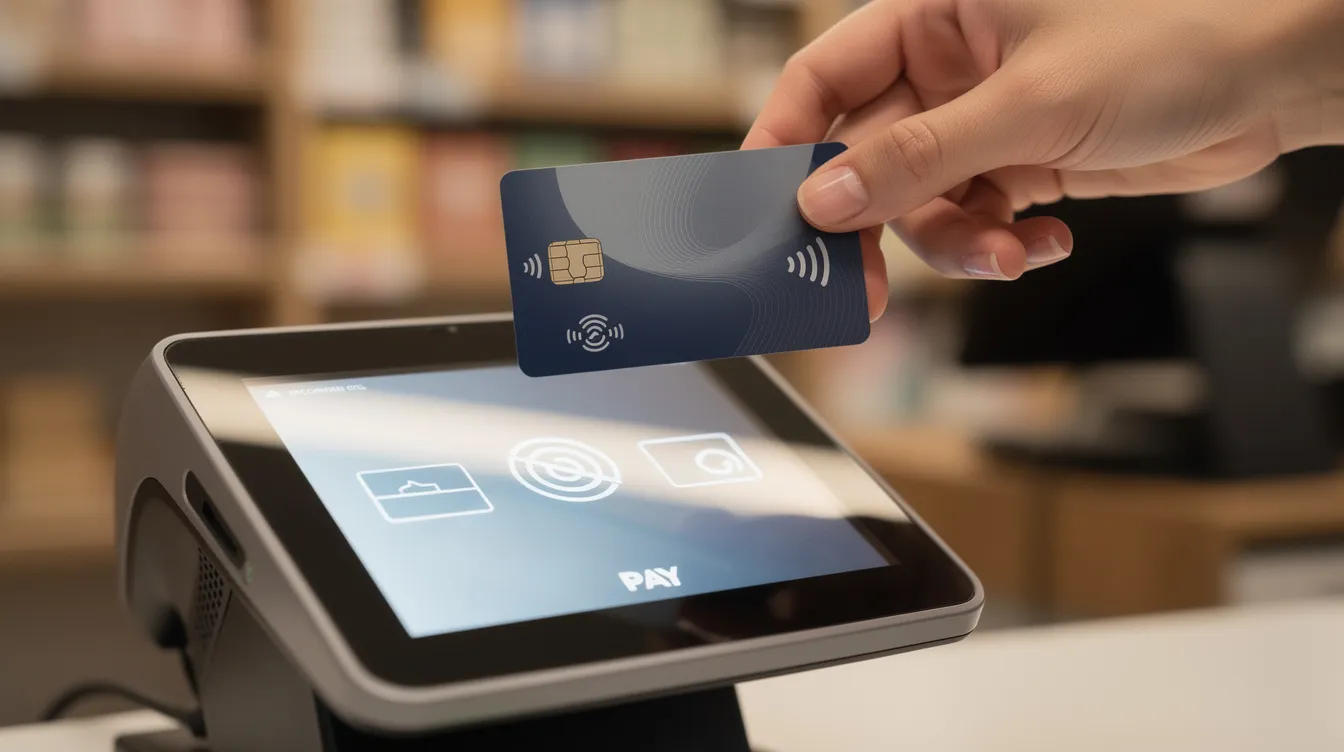
Credit card processing fees range from 1.3% to 3.5%, depending on the card type, whether the card is present, and which pricing model your processor uses. Here's how the costs break down.
Three components that make up your total rate:
Interchange fees - Paid to the issuing bank. Typically 1.4%–2.1% + $0.05–$0.15 per transaction. These are non-negotiable and set by card networks like Visa.
Assessment fees - Paid to card networks. Usually ~0.13%–0.17% of each transaction.
Processor markup - The negotiable piece. Ranges from 0.2%–0.50% + $0.05–$0.15 per transaction on interchange-plus plans, or is bundled into a single flat rate.
Processing fees can include interchange, assessment, and processor fees - and the total typically lands between 1.8% and 3.5% for most small businesses. Higher processing fees may apply to certain card types, especially rewards and corporate cards.
Example calculations for a $50 sale:
In-person (flat rate pricing at 2.6% + $0.10): $1.30 + $0.10 = $1.40
Online (flat rate at 2.9% + $0.30): $1.45 + $0.30 = $1.75
That $0.35 difference adds up fast. At 1,000 online transactions per month, you're paying $350 more than you would for the same volume in person.
Beyond headline rates, watch for these extra processing costs:
Monthly fees (gateway, platform subscriptions)
PCI compliance fees or non-compliance penalties - since PCI DSS establishes requirements for protecting payment-card data and all payment processors must comply with PCI DSS standards
Chargeback fees ($15–$25 per dispute in 2026)
Terminal or POS hardware rental/purchase
Batch/settlement fees, statement fees, and monthly minimums
To understand your real cost, calculate your effective rate: divide your total fees by your total card volume. That single number tells you more than any advertised rate ever will.
Understanding the pricing model matters more than chasing the lowest advertised rate. Two processors can quote you similar headline numbers and produce wildly different monthly costs depending on how they structure their pricing. Here's what each model actually means for your bottom line.
Flat rate pricing:
Charges a fixed percentage per transaction (e.g., 2.6% + $0.10 in-person). Flat-rate pricing averages 2.6% for in person transactions across major providers.
Pros: Simple, predictable fees. Great for low-volume sellers, pop-ups, and businesses seeking minimal complexity.
Cons: Overpays at higher volumes because the rate doesn't adjust to cheaper interchange categories. You subsidize the cost of expensive reward cards.
Example: Square charges ~2.6% + $0.10 in-person regardless of card type. Easy to budget, but a merchant doing $50K/month likely pays hundreds more than they would on interchange-plus.
Interchange-plus pricing model:
Interchange-plus pricing shows actual costs plus a processor markup (e.g., interchange + 0.30% + $0.08). This transparent pricing structure lets you see exactly what goes to the issuing bank versus what goes to your processor.
Pros: Maximum transparency. Interchange-plus pricing often results in lower costs for high-volume merchants. Your rate naturally drops when customers use lower-cost debit cards.
Cons: Statements are more complex. Requires understanding interchange categories.
Example: Helcim's interchange-plus model yields an effective rate around 2.51% at $10K/month for online transactions - compared to PayPal's ~3.07% at the same volume. That gap represents ~$672/year in savings.
Subscription / membership pricing:
Subscription pricing involves a monthly fee for lower transaction rates. You pay a fixed monthly cost (e.g., $99–$199) and then interchange + a tiny per-transaction markup.
Pros: Lowest effective rates at high volume. Predictable fees once you know your interchange mix.
Cons: The monthly subscription cost only pays off above certain volume thresholds (typically $20K+/month).
Tiered pricing:
Tiered pricing categorizes transactions into qualified, mid-qualified, and nonqualified buckets, each with different rates.
Pros: Qualified rates look attractive on paper.
Cons: Most transactions end up in mid-qualified or nonqualified tiers, dramatically inflating costs. This pricing structure is the most opaque and the most likely to harbor hidden fees. Avoid it unless you fully understand every tier classification.
Below are detailed reviews of each of the 10 best credit card processing companies. Each follows the same format: overview, who it's best for, core fees, notable features, and honest pros and cons.
All pricing reflects mid-2026 data. Your actual rates may vary based on industry, risk profile, and volume. Use these as benchmarks for comparison when you request quotes.
Square is best for mobile credit card processing. It's the go-to for sellers who need to accept payments quickly with minimal setup - think coffee shops, farmers' market vendors, food trucks, and pop-up retailers.
Pricing (2026):
In-person: ~2.6% + $0.15 (free plan), lower on Premium plans
Online: ~2.9% + $0.30
No monthly fee on the free tier; Plus plans start around $29/month with lower in-person rates
Free magstripe reader; paid chip/tap readers and registers up to ~$799
Key features:
Built-in POS with inventory tracking, staff management, invoicing, and appointment scheduling
Square Online for basic ecommerce
Handles payment links, mobile payment apps, and invoicing
PCI compliance handled automatically
Pros:
Fastest setup among all payment processing companies - you can accept credit card payments within minutes
No long-term contract or cancellation fees
Strong ecosystem of add-ons (payroll, loyalty, online ordering)
Cons:
Flat rate becomes expensive at scale; limited rate negotiation
Square provides 24/7 support only on its $149 per month plan
Known for occasional account holds or reserves, especially for new or higher-risk accounts
High risk industries face restrictions from Square

Stripe is ideal for omnichannel businesses that need deep technical flexibility. It's built for developers and platforms, making it the default choice for SaaS companies, marketplaces, and online stores with complex checkout flows.
Pricing (2026):
Online (US cards): ~2.9% + $0.30
In-person via Stripe Terminal: ~2.7% + $0.05
International cards: additional ~1%+ surcharge
No monthly fee for standard usage
Key features:
Robust APIs for custom checkout, subscription billing, and marketplace split payments
Radar fraud prevention tools with machine-learning rules, including CVV and AVS verification
Hosted checkout pages, payment links, and in-app payment support
Multi-currency acceptance for international payments
Stripe offers 24/7 email, chat, and phone support
Pros:
Unmatched flexibility for online merchants and developers
Strong recurring billing tools for subscription-based businesses
Supports various payment methods including digital wallets, ACH payments, and buy-now-pay-later
Cons:
Less intuitive for non-technical merchants; configuration can be overwhelming without developer resources
Cross-border and currency conversion costs add up if not monitored
Complex pricing at scale; international card fees and dispute fees can surprise you
High risk industries face restrictions from Stripe, similar to Square
Helcim offers transparent interchange-plus pricing with no monthly fee, making it one of the most cost effective credit card processing services for growing small businesses.
Pricing (2026):
Interchange + ~0.30–0.40% + $0.08 per transaction (varies by channel)
No monthly fee on most plans
Volume-based discounts that automatically lower your markup as you process more
Key features:
Free POS software, hosted payment pages, virtual terminal, and invoicing
Supports Visa, Mastercard, AmEx (OptBlue), Discover, and JCB
QR code payments and online store builder included
Helcim is known for strong customer service and transparent pricing
Pros:
Among the lowest effective credit card processing rates for merchants doing $10K+/month
Transparent pricing structure - you see interchange and markup separately on every statement
No early termination fees or long-term contracts
Cons:
Underwriting takes slightly longer than instant-approval PSPs like Square
Less robust hardware ecosystem than competitors
For very low-volume side hustles, flat-rate providers may be simpler and equally affordable
PayJunction is a cloud-first payment processor designed for professional services and multi-location businesses that need strong integrations and virtual terminal capabilities.
Pricing (2026):
Custom interchange-plus quotes; starting monthly fee around $35
Per-transaction fees depend on card type, volume, and risk
Requires a sales conversation for exact pricing
Key features:
Paperless receipts, remote digital signatures, and recurring billing
Virtual terminal for manually keyed in payments (phone/mail orders)
Cloud-based dashboard accessible from any device
PayJunction offers phone and email support, but hours are not listed on their site
Pros:
Strong fit for medical practices, law firms, and B2B merchants needing integrated payment workflows
Supports both online and in person credit card processing from a single dashboard
Good reporting and accepted payment methods coverage
Cons:
Higher starting monthly costs than plug-and-play apps
Exact rates require a custom quote, reducing upfront pricing transparency
Less suited for micro-businesses or casual sellers
Payline Data is one of the few payment processing providers that actively works with high risk merchants - businesses in verticals like subscription boxes, nutraceuticals, certain online services, or regulated niches that mainstream processors often decline.
Pricing (2026):
Interchange-plus pricing with monthly fees starting around $35
High-risk pricing is quote-based and typically includes additional surcharges
Chargeback fees around $15 per dispute
Key features:
Flexible underwriting for merchants with chargeback-prone categories or previous account closures
Multiple gateway options and compatibility with popular shopping carts
Dedicated account management for high risk industries
Pros:
Acceptance where Square, Stripe, and other mainstream processors won't go
Strong customer support with dedicated reps
Compatible with various ecommerce platforms
Cons:
More complex contracts with potential early termination fees
Higher chargeback fees and potential reserve requirements
Processing costs are harder to predict due to quote-based pricing
Stax (formerly Fattmerchant) uses a subscription pricing model that separates your monthly platform fee from interchange, letting high-volume merchants dramatically reduce their per-transaction markup.
Pricing (2026):
Monthly subscription: ~$99–$199 depending on volume tier
Per-transaction markup: interchange + minimal fixed cents (e.g., $0.08–$0.18)
Subscription pricing models offer lower transaction fees for high volumes
Key features:
Analytics dashboards with real-time reporting
Invoicing, recurring payments, and virtual terminal
Integration with major shopping carts and accounting software
Terminal and POS options available
Pros:
Lowest effective rates among all credit card processing companies at high volume
Transparent - you see interchange separated from your subscription cost
Strong analytics and chargeback management tools
Cons:
Monthly subscription makes it a poor fit for low transaction volumes (under ~$20K/month)
Chargeback fees can be higher (~$25 per dispute)
Contracts may include minimum terms
Shopify Payments is the native payment processor for Shopify stores, removing the need for a separate gateway and simplifying the entire online payment experience.
Pricing (2026):
Basic plan: ~2.9% + $0.30 online
Higher Shopify plans: lower rates (e.g., ~2.5% + $0.30 on Advanced)
Using a third-party gateway on Shopify incurs an additional fee (0.5–2.0% depending on plan)
Key features:
Seamless checkout integration with Shopify stores
Supports recurring billing, digital wallets, and major credit card brands
Unified reporting across online and in person sales (via Shopify POS)
Built-in fraud analysis
Pros:
Zero extra gateway fees if you stay within Shopify Payments
Simplified setup for online businesses already on Shopify
Supports payment links and various payment methods out of the box
Cons:
Only useful if you're on Shopify - no standalone option
Account holds possible under Shopify's risk policies
Less pricing flexibility compared to standalone interchange-plus providers
Not ideal for businesses seeking a standalone credit card processing solution
Authorize.net is primarily a payment gateway (owned by Visa) that works with multiple merchant account providers, giving merchants flexibility to choose their acquirer while using a stable, feature-rich gateway.
Pricing (2026):
All-in-One: $25/month + 2.9% + $0.30 per transaction
Gateway Only: $25/month + $0.10 per transaction + $0.10 daily batch fee (bring your own merchant account)
eCheck/ACH add-on: ~0.75% per transaction
Key features:
Authorize.net offers 13 customizable fraud detection filters in its Advanced Fraud Detection Suite
Recurring billing, customer profiles, and digital invoicing
Virtual terminal for phone and mail orders
Wide compatibility with older and newer ecommerce platforms
Pros:
Strong fraud prevention tools and proven stability
No early termination fees on most plans
Gateway-only option lets businesses with existing merchant accounts get lower processing fees from their acquirer
Cons:
The $25 monthly fee burdens very low-volume sellers
The $0.30 per-transaction fixed fee penalizes small-ticket sales
Authorize.net has been reported to have poor customer service in some user reviews
Gateway-only path requires managing a separate merchant account, adding overhead
Merchant One is a traditional ISO known for same-day approvals, high acceptance rates, and personalized onboarding - a strong fit for business owners who prefer a phone call over a self-serve portal.
Pricing (2026):
Swiped (card present): 0.29%–1.55%
Keyed (card not present): 0.29%–1.99%
Monthly fee: ~$13.95
Equipment lease and flexible hardware programs available
Key features:
Phone-based onboarding with dedicated account managers
Next-day funding
Supports multiple POS systems, mobile terminals, and virtual terminals
Equipment options for brick and mortar businesses
Pros:
Very low qualified rates for favorable card mixes
High approval rates, even for merchants with limited processing history
Human support throughout setup and beyond
Cons:
Actual rates depend heavily on how many transactions fall into "qualified" versus "non-qualified" categories under tiered pricing
Hidden fees have been reported by some users - read the full fee schedule before signing
Equipment leases can be non-cancellable with early termination penalties
Less transparent than interchange-plus providers
PayPal is recognized for fast online checkout and instant brand trust. With hundreds of millions of active accounts, it lets customers pay without re-entering card details - a conversion advantage that's hard to replicate.
Pricing (2026):
Online card payments: ~2.99% + $0.49
In-person via Zettle: ~2.29% + $0.09
International transaction fees and currency conversion add extra cost
Key features:
One-click checkout for existing PayPal users
PayPal Pay Later options that can increase average order value
Quick setup with minimal underwriting for low-risk online merchants
Supports payment links, invoicing, and various payment methods
Pros:
Instant brand recognition reduces checkout friction
Buyer protection can increase customer confidence and conversion
No monthly fee for basic usage
Accepted globally
Cons:
Among the highest processing fees for credit card processing companies at similar volume tiers
Strict and sometimes opaque dispute, reserve, and payout policies
Limited rate negotiation even at high volumes
Not ideal for merchants who want a full-featured POS or deep transaction processing analytics

Here's how the 10 processors stack up by category so you can quickly narrow your shortlist.
Best for low volume / side hustles:
Square (~2.6% + $0.15 in-person, no monthly fee)
PayPal (~2.29% + $0.09 in-person via Zettle, no monthly fee)
Helcim (IC-plus, no monthly fee)
Best for high volume:
Stax (subscription + IC, effective rate ~2.2% at $250K+/month)
Helcim (volume discounts lower markup automatically)
Note: Adyen is best for enterprise-level omnichannel payment processing, but is outside the small business scope of this list
Best for online merchants:
Stripe (APIs, subscription tools, marketplace payouts)
Shopify Payments (native Shopify integration)
Authorize.net (gateway flexibility, fraud filters)
Best for international cards / cross-border:
Stripe (multi-currency, global reach)
PayPal (global brand, buyer protection)
Shopify Payments (multi-currency checkout)
Best for non-technical users:
Square (plug and play POS)
Merchant One (phone-based white-glove setup)
PayPal (familiar interface, minimal configuration)
Strongest fraud prevention tools:
Authorize.net (13 customizable filters)
Stripe (Radar with ML-based rules)
Shopify Payments (built-in fraud analysis)
Lowest or no chargeback fees:
Payline Data ($15 per dispute)
Most others: $15–$25 range
Top processors accept major credit cards and mobile wallets, but the depth of accepted payment methods varies. Always confirm that your processor supports the specific cards, wallets, and payment methods your customers actually use.
The headline rate gets you in the door. The hidden fees are what eat your margins. Here's what to watch for.
Common hidden fees in payment processing services:
PCI non-compliance penalties - If you don't complete your annual PCI DSS self-assessment questionnaire, some processors charge $20–$100/month in non-compliance fees.
Statement fees - $5–$15/month for paper or even electronic statements, depending on the provider.
Batch/settlement fees - Small per-batch charges (e.g., $0.10–$0.25 per daily batch) that add up over time.
Monthly minimums - If your total monthly processing fees don't reach a threshold (e.g., $25), you pay the difference.
Non-qualified surcharges - In tiered pricing, transactions that don't meet "qualified" criteria (wrong card type, keyed instead of swiped, missing AVS data) get bumped to a higher rate - sometimes 1–2% more per transaction.
Equipment lease traps - Some ISOs offer "free" terminals that are actually locked into non-cancellable leases costing thousands over their term.
Foreign card / cross-border fees - Accepting cards issued outside your country can trigger 1–3% extra in fees that aren't reflected in the headline rate.
Chargeback fees in 2026:
Chargeback fees typically run $15–$25 per dispute. Whether you win or lose, most processors keep the fee. Some providers offer chargeback management tools with alerts and analytics to help you reduce disputes before they happen, but the fee itself is rarely refundable.
Contract traps to read for:
Auto-renewal clauses that lock you in for another year if you miss a cancellation window
Early termination fees ranging from $200 to $500+ (or liquidated damages based on projected revenue)
Non-cancellable equipment leases buried in the merchant agreement
Cancellation fees that apply even on "month-to-month" contracts if hardware is leased separately
How to protect yourself:
Ask for a complete fee schedule - every line item - before signing
Request sample statements that show how processor fees are separated from interchange
Confirm in writing whether there are early termination fees or cancellation fees
Ask specifically about chargeback support: do they offer alerts, analytics, or dispute assistance?
The best credit card processors aren't just the cheapest - they're the ones that balance cost with reliability, security, and tools that match your workflow. Here's what to evaluate beyond the rate sheet.
Payment methods and sales channels:
Does the processor support all the payment methods your customers expect? Major cards, digital wallets (Apple Pay, Google Pay), ACH payments, and mobile payment apps should all be on the list.
Can it handle your mix of in person, online, mobile, and invoicing sales channels from one dashboard?
Does it support split payments if your business model requires them?
Security and fraud prevention:
Security is critical when selecting a credit card processor. Look for PCI DSS compliance support, tokenization, and end-to-end encryption.
Fraud prevention tools include CVV and AVS verification at minimum. Advanced providers offer velocity checks, IP geolocation, and customizable rule engines.
3D Secure authentication limits risks for online transactions - essential for online merchants with higher-value sales.
Operational features:
Real-time dashboards help track payment trends and chargebacks before they become problems.
Integration with accounting software like QuickBooks or Xero streamlines reconciliation and saves hours of manual work.
Settlement timing influences operational cash flow for businesses - confirm whether you get next-day or multi-day payouts.
Customer support reliability is essential for maintaining seamless transactions. Check support hours, channels (phone, chat, email), and whether priority support costs extra.
Choosing a credit card processor depends on your business model and transaction volume. Here's a straightforward framework to guide your decision.
Step 1: Map your payment flows. Where do customers pay you - in person, online, via invoice, over the phone? Each channel has different fee structures and risk profiles.
Step 2: Estimate your monthly volume and average ticket size. Business size and volume should influence the choice of a payment processor. A $5K/month food truck has very different needs than a $100K/month SaaS company.
Step 3: Choose a pricing model. Low volume? Flat rate is simple and predictable. Growing past $20K/month? Interchange-plus or subscription likely saves money. Choosing a processor involves evaluating pricing models, contract terms, and funding reliability.
Step 4: Compare 3–4 processors side by side. Get quotes, request sample statements, and calculate the effective processing cost - total fees divided by total card sales - for each.
Step 5: Vet the contract. Look for monthly costs, chargeback fees, and whether you're locked into long-term commitments or equipment leases.
Effective processing cost considers all related fees and total card sales. Don't choose based on the headline rate alone - a processor advertising 1.5% qualified rates with aggressive tiered pricing could cost you more than one charging a straight 2.6%.
If you're processing $10,000 or more per month, you likely have leverage to negotiate. Negotiating rates can lower processing fees significantly - even small reductions add up over a year.
Negotiation tactics:
Gather 3 months of processing statements and calculate your current effective rate
Get written quotes from 2–3 competing payment processors
Call your current provider and ask them to match or beat the competing offers
Monthly processing volume affects the rates you can negotiate - the more you process, the more room there is
Payment processors may offer volume discounts based on transaction history; ask specifically about tier breaks
Non-negotiation strategies to lower processing fees:
Reduce chargebacks by improving product descriptions, using clear billing descriptors, and responding to disputes quickly
Optimize your card-present vs. card-not-present mix - accepting more in person transactions lowers your average interchange
Encourage lower-fee payment methods like ACH payments or debit cards where appropriate
Reviewing processing fees regularly (quarterly at minimum) can help identify better rates or catch fee creep
Avoid paying for premium services you don't use (advanced reporting tiers, unused terminal subscriptions)
Surcharging: Using surcharging can pass processing fees to customers legally in some states, but this requires strict compliance with card network rules and local laws. Verify eligibility before implementing.
Here's a practical checklist to go from choosing a processor to accepting your first credit card payment.
Shortlist 2–3 processors based on your volume, channels, and pricing model preference
Apply online or via sales rep - provide business details, estimated volume, and bank information
Complete underwriting - instant for PSPs like Square; 1–5 business days for traditional merchant accounts with traditional payment processors
Order or configure equipment - chip/tap readers, POS terminals, or just a payment gateway for online-only
Integrate with your website or POS - test the checkout flow, payment links, and any accounting software connections
Configure fraud rules - set up AVS, CVV requirements, velocity limits, and refund policies during onboarding
Set up chargeback notifications - enable alerts so you can respond within required timeframes
Run test transactions - test chip, tap, manually keyed in payments, and online checkout across different devices and browsers
Go live - process your first real credit card sale and verify settlement hits your bank account on schedule

What is a good effective processing rate in 2026? For most small businesses, an effective rate between 2.2% and 2.8% is competitive. If you're above 3.0%, you're likely overpaying - especially if your volume exceeds $10K/month. Credit card processing fees range from 1.3% to 3.5% depending on card mix, channel, and pricing model.
When will I get my deposits? Most payment processing companies deposit funds within 1–2 business days for standard accounts. Some offer same-day or next-day funding. Settlement timing varies by processor, risk profile, and whether the transaction was in person or online.
Are credit card processors PCI compliant by default? Payment processors must comply with PCI DSS standards, but your business also has compliance responsibilities. PSPs like Square handle most of the burden for you, while traditional merchant accounts require you to complete a self-assessment questionnaire annually.
What is tiered pricing and why can it be risky? Tiered pricing groups transactions into qualified, mid-qualified, and nonqualified categories with different rates. It's risky because most transactions - especially online or with rewards cards - often fall into the expensive nonqualified tier, making your actual costs much higher than the advertised "qualified" rate.
How do chargeback fees work? When a customer disputes a charge, your processor charges you a chargeback fee (typically $15–$25) regardless of whether you win or lose the dispute. Some processors offer chargeback management tools to help prevent disputes, but the fee itself is almost never refunded.
Can I switch credit card processors without changing my bank? Yes. Your bank account stays the same - you simply update which processor deposits into it. The transition usually takes a few days to a couple of weeks, depending on underwriting requirements.
How is a credit card processor different from a money transfer service? A credit card processor lets you accept payments from customers. A money transfer service like Ace Money Transfer lets you send money out - paying suppliers, contractors, or transferring funds internationally. They serve different sides of your payment system and work best when paired together.
What should online merchants specifically watch for? Online merchants face higher card-not-present rates, more fraud exposure, and should prioritize processors with strong fraud prevention tools (3D Secure, CVV/AVS, velocity checks). Also watch for cross-border fees if you sell internationally.
The best credit card processors differ by strength: some win on price (Helcim, Stax), others on ease of use (Square, PayPal), integrations (Stripe, Shopify Payments), or fraud prevention tools (Authorize.net, Stripe). There's no single "best" - only the best fit for your situation.
Small, low-volume sellers should lean toward flat-rate, no-contract options like Square or PayPal. Growing or high-volume businesses will almost always save money with transparent interchange-plus or subscription models from providers like Helcim or Stax. Match the pricing model to your transaction volumes and average ticket size.
Don't default to the most familiar brand. Revisit the quick-answer section, shortlist 2–3 providers, request quotes with full fee schedules, and calculate your projected effective rate before committing.
Your payment processing services handle money coming in. For money going out - paying overseas suppliers, contractors, or managing international payouts - pair your processor with a dedicated money transfer app like Ace Money Transfer. Together, they cover both sides of your payment equation with better rates, clearer compliance, and lower currency conversion costs than trying to force one tool to do both jobs.
The right processor protects your margins today and scales with you tomorrow. Start by calculating your effective rate, compare three providers, and make a decision based on data - not marketing.
Disclaimer: This article is intended for general informational and educational purposes only and should not be construed as legal, regulatory, tax, business, or financial advice. While reasonable efforts have been made to ensure that all facts, figures, and data are accurate and valid as of the date of publication, no warranty or guarantee is given as to the ongoing completeness, accuracy, or currency of the information.
The content is based on information available at the time of publication. Regulations, government policies, market conditions, and service offerings may change over time and vary across jurisdictions and providers. As a result, some information may no longer be current or applicable. Readers should independently verify all information and consult qualified professional advisors before making any financial, legal, or business decisions.