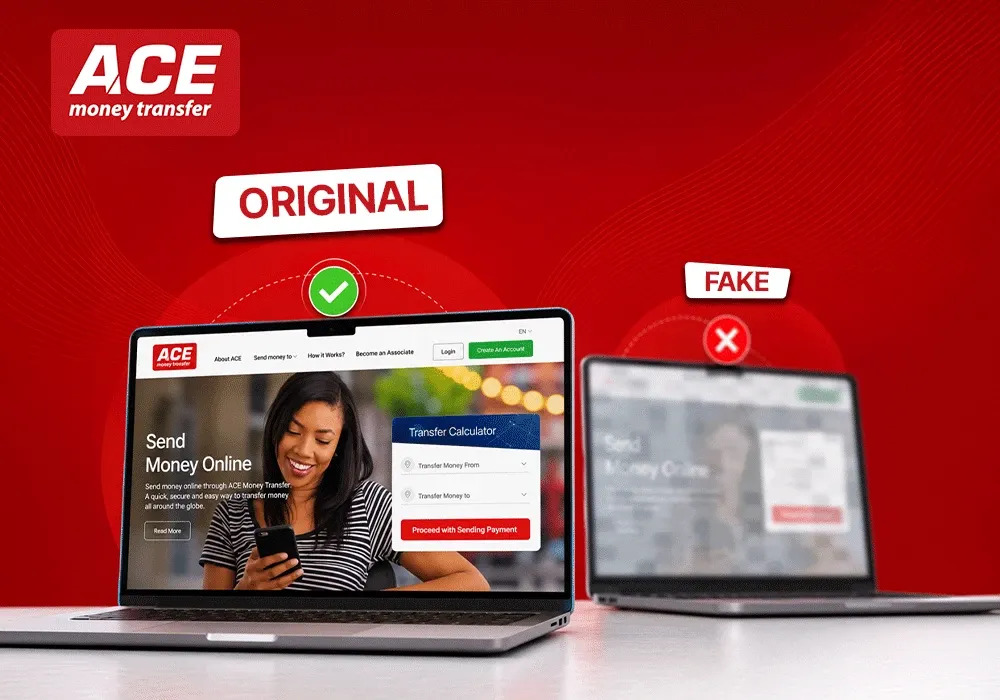
How to Differentiate Between Original and Fake Websites | Ace Money Transfer
09 Jun 2026
Every day, thousands of fraudulent websites go live with one goal: to steal your money, your credentials, or your identity. Learning how to differentiate between original and fake websites does not require deep technical knowledge. It requires knowing what to look for and where to look. This article walks you through a structured approach, from a 60-second quick scan to deeper verification steps, so you can determine a website's authenticity before you hand over any sensitive information.
Quick guide: how to spot a fake website in under 60 seconds
Before you enter any details on an unfamiliar site, run through this fast checklist. It takes less than a minute and can save you from falling victim to a scam.
Check the address bar. Read the full URL carefully. Subtle misspellings in URLs can indicate phishing attempts, for example "acemoney1-security.net" instead of "acemoneytransfer.com." Double check the domain name spelling and extension.
Look for HTTPS and the padlock icon. A padlock icon indicates a secure connection, but remember it does not guarantee the site is legitimate.
Scan the page for grammar mistakes. Awkward phrasing and obvious errors across key pages are a red flag.
Confirm a working contact page. Look for a physical address, phone number, and email that you can verify independently.
Hover over links to see the full URL before clicking. Clicking on suspicious links can lead to phishing attacks, so always preview the destination.
Avoid paying by bank transfer or cryptocurrency on any site you are not completely sure about. These payments are typically irreversible.
If anything feels off - colors look wrong, the domain seems strange, or the layout differs from what you expected - close the tab immediately.
Why fake websites are a growing problem in 2024–2026
Since 2020, the rapid expansion of online shopping, digital banking, and remote work has dramatically increased the attack surface for bad actors. Fraudulent websites have grown alongside this shift, and the scale is staggering.
In 2024, the FBI's Internet Crime Complaint Center (IC3) reported over 859,532 complaints with losses exceeding $16.6 billion - a 33% increase from 2023. Phishing and spoofing ranked among the top complaint types by volume.
AI tools now help criminals create convincing layouts, logos, and copy at speed, making a fake website harder to spot than ever. Research by NordVPN and TechRadar uncovered networks of over 800 fraudulent e-commerce domains using polished templates and shared hosting fingerprints - an "industrialized" approach to deception.
Fake websites target logins, card details, bank transfers, and other personal information for identity theft. Even tech-savvy users can be fooled, which is why using a structured checklist is essential.
Understanding common fake website tactics
Most scam websites reuse a small set of tricks. Once you learn to recognize them, you gain a significant advantage.
Cloning legitimate websites. Scammers duplicate the look and branding of banks, delivery firms, and social networks, but fraudsters often alter familiar domain names subtly - swapping a character, adding a word, or changing the extension.
Phishing funnels. A phishing email or text messages with a link leads to a fake login page. You enter your credentials, and the data is sent to attackers in real time.
Fake online shops. Scam websites may use low prices to attract shoppers, displaying deals that are far below market value to create urgency.
Fake investment platforms. Victims see fabricated dashboards showing profits, then are asked for fees or taxes they will never recover.
Fraudulent tech-support pages. Pop-ups claim your computer is infected, pressuring you to call a number or pay for unnecessary services.
A professional design no longer guarantees authenticity. Free SSL certificates and polished templates (WordPress, Shopify, Elementor) allow anyone to create a clean-looking site in hours. Scammers can purchase HTTPS certificates just as easily as legitimate companies can.
Check the address bar and URL carefully
The address bar is your first and most reliable defense when using ACE Money Transfer online. Careful evaluation of the URL is essential to identify fake websites impersonating ACE Money Transfer.
Here is what to compare:
Element
Real example
Fake example
Key difference
Domain
https://www.acemoneytransfer.com
https://acemoneytransfer-secure-login.com
Real domain is the last part; "acemoneytransfer" may appear in a subdomain or with extra words
The genuine ACE Money Transfer website domain is the part directly to the left of the URL's top-level extension (.com). Fraudsters often create deceptive URLs by adding extra words like "secure," "login," or "verify" or by using unusual domain extensions.
Watch for these warning signs when visiting ACE Money Transfer sites:
Typos and swapped characters: such as "acem0neytransfer.com" replacing the letter "o" with zero.
Extra words or subdomains: URLs like "secure.acemoneytransfer-login.com" are suspicious.
Unusual domain extensions: Be cautious if the URL ends with .net, .org, or uncommon extensions instead of .com.
Multiple domains in one URL: A string of domains separated by dots or slashes that embed "acemoneytransfer" is a red flag.
Newly registered domains claiming to be ACE Money Transfer: The official site has a long-established domain history.
Always type https://www.acemoneytransfer.com directly into your browser or use a trusted bookmark. Never log in or enter personal information through links in emails or messages unless you have verified the URL carefully.
Watch for these general warning signs:
Typos and swapped characters: "goog1e.com" (digit 1 instead of letter l).
Extra words: "secure," "verify," or "support" appended to a familiar brand name.
Unusual top-level domains may signal deceptive websites. Domains ending in .net or .org may be suspicious when you expected .com.
Check for only one domain in the URL to avoid scams. A string of dots and slashes embedding a brand name is a clear red flag.
A newly registered domain claiming to be a major brand is a red flag. Major brands have long domain histories.
Never log in to banking, email, or shopping accounts from a link in a message. Always type the web address yourself or use a bookmark, then verify the domain in the address bar.
Verify connection security and the SSL certificate
Modern browsers display security indicators like the padlock icon to the left of the URL. A padlock icon indicates a secure HTTPS connection, meaning TLS/SSL certificates encrypt data exchanged between your device and the site. But this does not mean the website is trustworthy.
How to check the certificate:
Click the padlock icon in the address bar. Clicking the padlock icon reveals details about the site's security certificate.
Look for "Certificate" or "Connection is secure" and view the issuer and the entity it was issued to.
Check for HTTPS in the URL as part of your security verification.
Certificate types matter:
Domain Validated (DV): Only confirms domain ownership. Cheap and fast. Fraudsters often use Domain Validated (DV) certificates for fake sites.
Extended Validation (EV): The most rigorous. EV certificates display the company name in the address bar in some browsers, providing higher assurance.
A site seal or trust badge on a page can also hint at verification. Trust seals indicate a website has undergone verification, and clicking a trust seal reveals details about the website's security. However, fraudsters often copy trust seals to mislead users, so always click and verify rather than trust at a glance.
Because scammers can obtain DV certificates easily, a padlock alone is never enough. Combine this check with the other steps in this article.
Look for content quality issues: poor grammar, layout and branding
Many fake websites reveal themselves through rushed, low-quality content. Fraudulent websites often have poor grammar and spelling mistakes that appear across multiple pages.
Signs to watch for:
Awkward phrasing such as "We are committed to ensuring that you enjoy full satisfaction" - unnatural constructions that read like machine translation.
Branding inconsistencies. Scammers often create websites with pixelated images and outdated logos. Compare colors, fonts, and taglines with the brand's official source.
Layout problems. Broken links, missing menu items, inconsistent fonts, and formatting errors indicate haste. Fraudulent sites often display amateur design defects.
Legitimate websites may contain the occasional typo, but repeated errors across the homepage, checkout, and contact page are strong warning signs. If the site looks thrown together or clearly copied, leave immediately.
Assess the company details: contact page, policies and ownership
Most legitimate companies are transparent about who they are and how to reach them. Legitimate websites typically provide clear contact information including a physical address, phone number, company name, and a working email.
How to verify contact details:
Search the address on a mapping service. Does the location match the business?
Call the phone number or search it online for reports.
Look up the company in official business registries to confirm its legal existence.
Review policies carefully:
A website lacking a privacy policy may be fraudulent. Legitimate websites typically have a privacy policy link at the bottom of the page.
A privacy policy must disclose data collection practices. Privacy policies should include contact information for the company, and companies must provide specific information in their privacy policies. GDPR requires transparency in privacy policies for data protection.
Fake websites may have vague or copied policies. Comprehensive shipping and privacy policies are indicators of legitimate sites.
Check the terms and conditions and return policy. Vague language like "contact us for returns" without specifics is suspicious.
Optional advanced step: Use WHOIS lookup tools to see when a domain was created and who registered it. Very new registrations or hidden ownership details should be treated cautiously.
Evaluate payment methods and pricing
Scammers design payment flows to make it difficult for victims to recover money. If a site accepts only bank transfer, wire transfer, or cryptocurrency for consumer purchases, treat it as a higher fraud risk and approach it with caution.
Legitimate websites usually accept major credit cards, PayPal, Apple Pay, Google Pay, or similar services that offer dispute and chargeback rights. If you pay with a debit card, you may have fewer protections than with a credit card.
Watch for these pricing tactics:
Offers that are significantly cheaper than market value may indicate a scam.
Countdown timers and "last units" messages create artificial urgency.
Aggressive upsells or forced add-ons that redirect payment flow.
Abandon the purchase if you feel rushed or if the payment options seem unusual for the type of business.
Use external checks: online reviews, reputation and safety tools
The wider internet often reveals whether a site is genuine before you risk anything. A few minutes of research can save significant trouble.
Search for reviews. Google the website name plus "scam," "fraud," or "reviews." Read search results from multiple independent sources. Independent reviews can help verify website legitimacy, and checking multiple review sources strengthens confidence.
Spot fake online reviews. Beware of reviews from new accounts on review sites. Similar reviews across sites may indicate fake reviews. Look for factual detail and personal opinions rather than generic praise with only 5-star ratings.
Check official social media. Reviewing a company's social media presence can provide insight into legitimacy. Visit the brand's official account directly - not via links on the suspicious site - and look for recent activity on the company's social media pages, consistent branding, and verified profiles.
Use safety tools. Official tools can be used to scan URLs for phishing threats. Services like Google Safe Browsing, VirusTotal, and PhishTank can flag a URL as a known fraudulent website.
What to do if you think you're on a fake website
Quick action limits damage. If you suspect a fake site, act immediately.
Close the tab. Do not download anything or enter sensitive information further.
If you entered login credentials: Go directly to the real service's website, change your password, and enable multi-factor authentication on all relevant new accounts. Notify the provider.
If you shared payment or card data: Contact your bank or card issuer at once to report possible fraud, freeze your account, and discuss any available recovery or chargeback options. This is especially urgent for bank transfer or debit card transactions.
If you shared identity data (such as your address, date of birth, or other personal information): Consider placing a fraud alert or credit freeze and monitor for identity theft.
Report the fake website. Capture the URL and take screenshots. Report to your bank, the legitimate brand being impersonated, your national cybercrime or consumer protection agency, and via your browser's built-in reporting tools.
Practical checklist: how to double check a website before you trust it
Use this checklist every time you visit an unfamiliar site on the internet. Print it, bookmark it, or save it to your phone.
Check
What to look for
Address bar and URL
Correct domain spelling, single domain, no unusual TLDs
HTTPS and certificate
Padlock present, certificate issued to the expected company
Content quality
Consistent branding, no poor grammar or broken images
Contact page and policies
Physical address, phone, email, clear privacy and return policies
Payment methods
Major credit cards or known payment services, no crypto-only
Online reviews
Multiple independent sources, detailed reviews, no suspicious patterns
Rule of thumb: If two or more checks raise doubt, treat the site as unsafe and leave.
No single sign - not a padlock, not a site seal, not a polished design - can guarantee a website's legitimacy. But a combination of positive indicators across all these checks significantly increases confidence in the website's authenticity.
Practising these checks regularly will sharpen your instincts. Over time, you will find you can spot a fake website in seconds rather than minutes. Share this article with friends and family, because an effective way to fight scams is making sure the people around you know what to look for too.