ACE Money Transfer
ACE Money Transfer
22 Oct 2026
Whether you need to check your application status, renew your ID card, or use the Pak ID app from abroad, this guide covers everything you need to know about NADRA services in 2026. The National Database and Registration Authority is the central government agency in Pakistan responsible for issuing identity credentials, maintaining the national database of citizens, and enabling biometric verification across sectors.
NADRA's core services include the Computerised National Identity Card (CNIC), Smart National Identity Card, National Identity Card for Overseas Pakistanis (NICOP), Pakistan Origin Card (POC), Child Registration Certificate (CRC/B-Form), and Family Registration Certificate (FRC). These documents are critical for banking, SIM registration, travel, remittances, and virtually every government service in Pakistan today.
Here are the most common tasks people need help with:
Check NADRA application status via SMS, app, or web portal
Renew or replace a lost ID card
Track delivery of a new CNIC or NICOP
Use the Pak ID app or Pak Identity website for online applications
Access services for overseas Pakistanis (NICOP, Smart POC, FRC)
Every Pakistani citizen aged 18 or older is legally required to obtain a CNIC. The Computerised National Identity Card is essential for legal transactions in Pakistan, from opening a bank account to registering a mobile SIM or buying property. NADRA maintains Pakistan’s central national identity database, supporting citizen registration and identity verification through digital and biometric systems.
Applications for NADRA services can be processed online or at NADRA Registration Centres. Here is how a first-time applicant registers in person:
Visit your nearest NADRA registration centre and collect a token number.
At the data-entry desk, submit your form and required documents.
Your photograph, fingerprints, and digital signature are captured.
Biometric verification is performed against the national database to prevent duplicates.
Pay the applicable fee and receive your receipt with a tracking ID.
Biometric verification is mandatory for first-time applicants. NADRA utilises biometric verification for secure identity credential issuance, checking fingerprints and facial images against existing records.
Required documents for a fresh CNIC in 2026 include your Form-B or Child Registration Certificate, at least one parent's CNIC or NICOP, a birth certificate (or accepted alternative under the 2026 facilitation policy), and proof of residence. Matric certificates or passports can serve as supporting identity documents.
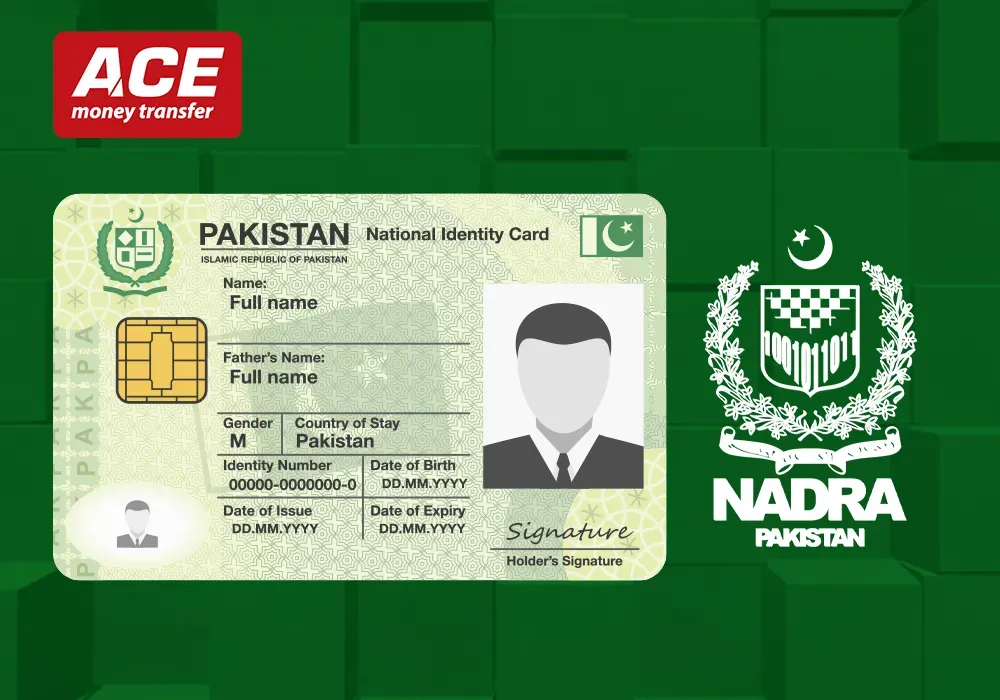
The Smart National Identity Card includes microchip technology for added security features, making it machine-readable and aligned with international standards. The difference between a normal CNIC and a Smart ID card comes down to security, durability, and fee. Normal, urgent, and executive categories let you choose your processing time and cost - executive being the fastest and most expensive.
Once verified, your CNIC becomes the key to SIM issuance, bank account opening, and using money transfer platforms like ACE Money Transfer, which rely on NADRA-verified identity documents for KYC compliance.
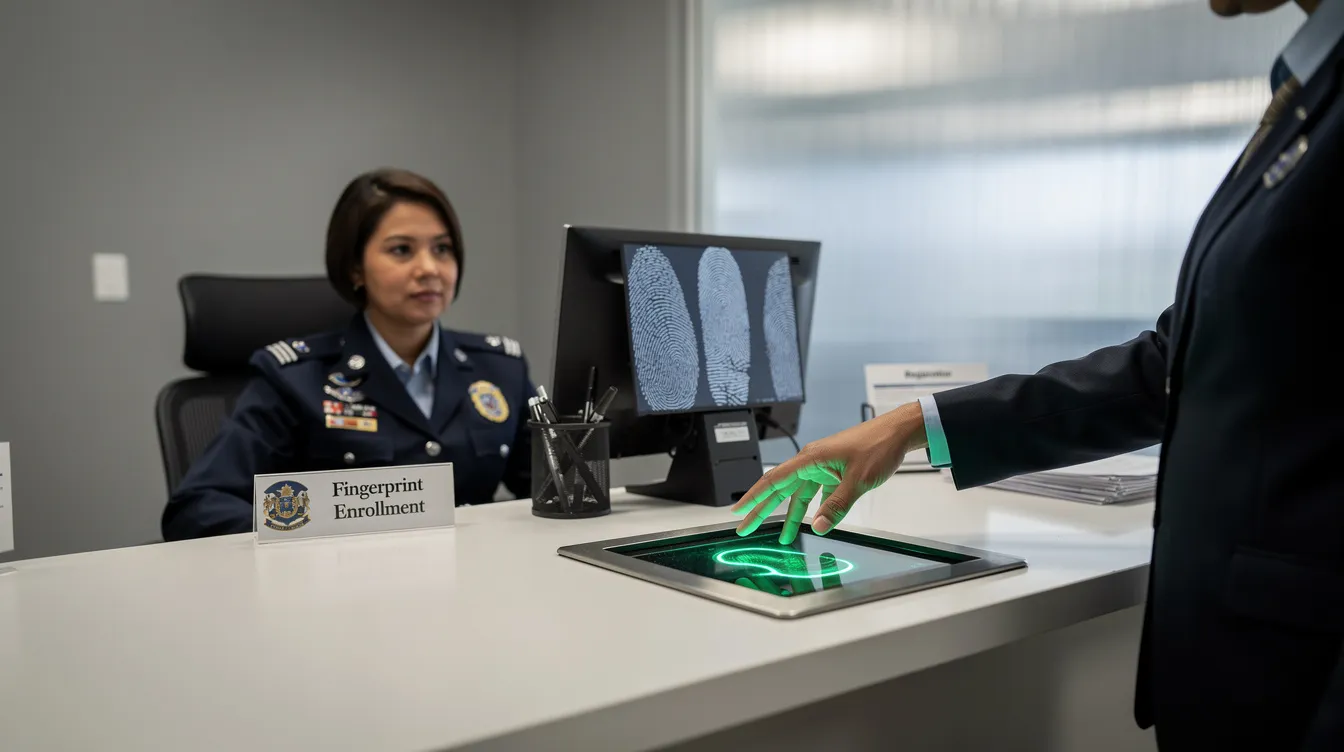
A typical NADRA registration centre offers services ranging from new CNIC issuance and renewal to FRC applications and data corrections. Larger cities like Karachi, Lahore, Islamabad, Peshawar, and Quetta have mega centres with higher capacity, while smaller towns have standard NRCs.
To find the nearest centre, check the official NADRA website or call the domestic helpline at 1777. NADRA also operates mobile registration vans to reach remote areas for citizen registration, ensuring even underserved populations can access the NADRA system.
A standard visit follows this flow:
Collect a token at the entrance
Wait for your number to be called (expect 30–90 minutes depending on foot traffic)
Proceed to the data-entry desk for form submission and document verification
Move to the photo and biometric capture station
Pay fees at the cashier and collect your receipt with your application tracking ID
Visit during morning hours (9–11 AM) to avoid peak crowds, especially if you are visiting with elderly family members or children.
Many centres have women-only counters, senior citizen priority windows, and executive counters for faster service. Before leaving the desk, double-check every field on the screen - your name spelling, date of birth, address, and marital status - because corrections later cost extra time and money.
NADRA applications can be initiated online at Pak-Identity, the official web portal, and through the PakID mobile app available on Android and iOS. The PakID mobile application provides access to multiple NADRA services digitally, making it ideal for online applicants who want to avoid in-person visits.
NADRA offers e-governance platforms for public service delivery across designated centres and online channels. The application process includes three main steps: assessment, preparation, and submission.
Services available online in 2026 include:
CNIC renewal, reprint, and modification (name, address, marital status changes)
Smart ID card applications and modifications
NICOP and Smart POC for overseas applicants
Family Registration Certificate and CRC for eligible categories
Death certificates and Succession Certificates (Succession Certificates issued by NADRA help legal heirs claim deceased persons' properties)
You will need a valid email, a mobile number that can receive OTPs, a device with a camera or scanner, and the ability to upload documents and a live photo in NADRA's required format.
Payment flows differ by document type. For some services, you pay at the start of the online application; for others (like simple CNIC reprints), payment is collected after preliminary assessment.
When to use Pak-Identity vs. visiting a centre:
Use the Pak Identity website or Pak ID app for renewals, reprints, modifications, NICOP, and FRC applications
Visit a NADRA registration centre for first-time CNIC registration (biometric capture required), complex family tree corrections, or when your application is on manual hold
NADRA provides four official channels for tracking applications: SMS (8400), the Pak Identity web portal, the Pak ID app, and the helpline.
SMS 8400 (inside Pakistan only):
Open your phone's messaging app.
Type your NADRA tracking ID (no spaces or dashes).
Send the message to 8400.
Receive your current status: In Process, Verification, Printed, Dispatched, Ready for Collection, or Delivered.
You can track your application via SMS by sending the tracking ID to 8400. SMS tracking is available only for applications submitted in Pakistan.
Pak Identity portal:
Log in at the Pak Identity website.
Navigate to "My Applications."
Click on the relevant case to view real-time status, printing details, and courier tracking information.
Pak ID app:
The Pak-ID app allows real-time application status tracking. Install the app, sign in with your account, open the application tile, and enable push notifications for updates on biometric requests, payment issues, or dispatch alerts.
Helpline:
If digital tracking is unclear or your payment is not reflecting, call 1777 from inside Pakistan or +92 51 111 786 100 from outside Pakistan. Overseas Pakistanis cannot use SMS 8400 and must rely on the portal, app, or call centre.
A NADRA tracking ID is a unique 10-digit number assigned to each NADRA application. It links your case to the NADRA system's central database and is your primary tool for checking application status.
Where to find your tracking ID:
Physical receipt issued at the NADRA registration centre
Confirmation email sent after an online application
SMS notification from NADRA
"My Applications" section in the Pak ID app or portal
If you lose your tracking ID, you can recover it by calling the helpline and verifying your identity with your CNIC number, registered mobile number, and application details. You can also log into the Pak Identity portal to check your history.
Keep your tracking ID confidential. Sharing it publicly can expose your delivery information to phishing attempts or social engineering scams.
The tracking ID is required when collecting your final ID card in person or when requesting technical support from NADRA staff.
NADRA fees vary by document type, service speed (normal, urgent, executive), and whether you are inside or outside Pakistan. Here is a summary of common fees for 2025–2026:
| Document | Normal | Urgent | Executive |
|---|---|---|---|
| New CNIC (standard) | Free | ~PKR 1,150 | ~PKR 2,150 |
| Smart CNIC (new/renewal) | PKR 750 | PKR 1,500 | PKR 2,500 |
| CRC / B-Form | PKR 50 | - | PKR 500 |
| FRC (both family types) | - | - | PKR 2,000 |
| NICOP Zone A (USA/UK/EU) | ~$39 | ~$57 | ~$75 |
| NICOP Zone B (GCC/Africa) | ~$20 | ~$30 | ~$40 |
| POC Zone A (new) | ~$150 | ~$200 | ~$250 |
A new Smart CNIC costs Rs. 750 for normal processing. An FRC costs Rs. 2,000 under executive service for domestic applicants. NICOP fees vary by region and processing speed, while POC fees vary by service type and are charged in USD.
Accepted payment methods include cash and card at NADRA registration centres, and debit/credit cards or online bank transfers via the Pak Identity portal. Payment confirmation appears within 15–30 minutes after a successful transaction. If your status does not update after 24 hours, contact the helpline with your receipt.
Wrong or partial payments can place your application on hold and extend processing time. Always verify the exact fee on official NADRA pages before paying.
The Family Registration Certificate details family composition in Pakistan as recorded in NADRA's national database. It lists immediate family members - parents, spouse, and children - making it indispensable for visa applications, school admissions, property documentation, and proof of relationship for both domestic and overseas Pakistanis.
FRC applications can be submitted via Pak Identity or at a NADRA registration centre. The process involves selecting the FRC type, entering CNIC numbers of all listed family members, uploading supporting documents, and paying the fee.
NADRA issues the Child Registration Certificate for children under 18 in Pakistan. The CRC (also known as B-Form) is distinct from the FRC: it registers a single child under 18 in the NADRA system, while the FRC summarises family data for an adult applicant.
Documents required for a CRC/B-Form in 2026:
Both Pakistani parents' CNIC or NICOP
Child's birth certificate (Union Council or hospital-issued)
Child's photograph
For children aged 10–18, fingerprint biometrics may also be captured
You can check the application status for both FRC and CRC using your tracking ID. Processing time is typically same-day for executive service and a few working days for the normal category.
NADRA provides the National Identity Card for Overseas Pakistanis, allowing visa-free entry to Pakistan. The NICOP is designed for any Pakistani citizen living outside Pakistan who holds valid nationality. It functions as a secure identity document with the same legal weight as a CNIC within Pakistan.
The Pakistan Origin Card allows foreign nationals with Pakistani roots to stay in Pakistan without citizenship rights. A Smart POC grants privileges like visa-free travel, property ownership, and business facilitation for ex-Pakistani citizens and their spouses.
The complete online process for overseas applicants:
Create an account on the Pak Identity website or Pak ID app.
Select the document type (NICOP, Smart POC, or FRC).
Upload required documents: passport, existing CNIC/NICOP, proof of residence abroad, and birth certificates for children.
Complete biometric verification where required (at a NADRA centre in Pakistan or a consulate facilitation desk).
Pay fees in foreign currency via credit or debit card.
Track via the portal or app; SMS 8400 is not available outside Pakistan.
Embassies and consulates no longer manually process NICOP, POC, or FRC applications. They redirect overseas applicants to the Pak Identity portal and only assist with limited exceptional cases or document attestation.
Typical scenarios for overseas Pakistanis:
Renewing an expired NICOP from the UK (Zone A, ~$39 normal)
First-time NICOP for a child born in Canada to Pakistani parents
Applying for a Smart POC as an ex-Pakistani citizen in India or other countries
Submitting FRC applications from a mission abroad for visa purposes

An updated CNIC or NICOP is required for opening bank accounts, updating KYC records, and registering mobile SIMs with Jazz, Telenor, Zong, or Ufone. NADRA offers biometric verification services for secure identification across various sectors, and telecom operators regularly run re-verification campaigns using NADRA's fingerprint data.
NADRA is responsible for regulatory oversight of the national database of citizens in Pakistan, and this data underpins how financial institutions and remittance services verify identities.
For overseas Pakistanis who want to send money home, ACE Money Transfer offers international remittance services. Identity verification requirements may apply to senders and recipients, depending on the transaction and applicable regulations. Here is how to send money to Pakistan using ACE Money Transfer (Exchange rates fluctuate, and the rate you receive may differ from any rates quoted. Always check the live rate at acemoneytransfer.com before sending):
Register or log in to your account using your email, Google, or Apple ID.
Choose Pakistan as your destination country and select a payout method: bank deposit, mobile wallet, or cash pickup.
Enter accurate recipient details, including bank or mobile wallet numbers.
Select a payment method: debit card, credit card, or online bank transfer.
Add a payment reason, confirm the transfer details, and click Pay Now.
Track your transaction in real-time using the reference tracking number provided.
Recipients in Pakistan may need to provide their NADRA ID card and sometimes complete biometric verification at partner banks or cash pickup locations. To avoid payment holds, failed transfers, or SIM blocking, keep your personal details consistent across banks, SIMs, and money transfer services.
Many applicants face delays due to incomplete documents, data errors, or verification problems with the national database. Common issues include:
Wrong spelling of name or incorrect date of birth on printed card
Family tree disputes or mismatched parent/spouse details
Application stuck on "On Hold" or "Manual Verification" status
Payment not reflecting in the NADRA system
ID card returned to head office after 90 days of non-collection
To lodge a complaint, use NADRA's Complaint Management System via the official NADRA website, the Pak Identity portal, or call the helpline with your CNIC and tracking ID ready. Provide details about the issue clearly.
Visit a NADRA registration centre in person if your case requires biometric recapture, attestation by relatives or guarantors, or complex family tree corrections. If your application status has not changed beyond the expected processing time of 7–10 working days, escalate through the helpline or submit a follow-up through the portal.
Keep copies of all supporting documents - birth certificates, receipts, form printouts - for quick resolution of disputes or manual verification cases.
Follow these instructions for a secure experience with NADRA services:
Never share CNIC scans, NICOP images, or tracking IDs on public forums or social media. Always use official NADRA links and avoid agents promising shortcut processing.
Create a strong password for your Pak Identity account, enable two-step verification where available, and always sign out on shared devices.
When your ID card or registration certificate is delivered, immediately review the spelling, CNIC/NICOP number, marital status, address, and expiry date. Report errors within 30 days.
Keep encrypted digital backups of your CNIC (front and back), NICOP, passport, and FRC for quick re-applications or KYC needs.
Update your NADRA data after key life events: marriage, divorce, childbirth, change of address, or acquiring foreign nationality.
Whether you need to check your application status, renew your ID card, or use the Pak ID app from abroad, this guide covers everything you need to know about NADRA services in 2026. The National Database and Registration Authority is the central government agency in Pakistan responsible for issuing identity credentials, maintaining the national database of citizens, and enabling biometric verification across sectors.
NADRA's core services include the Computerised National Identity Card (CNIC), Smart National Identity Card, National Identity Card for Overseas Pakistanis (NICOP), Pakistan Origin Card (POC), Child Registration Certificate (CRC/B-Form), and Family Registration Certificate (FRC). These documents are critical for banking, SIM registration, travel, remittances, and virtually every government service in Pakistan today.
Here are the most common tasks people need help with:
Check NADRA application status via SMS, app, or web portal
Renew or replace a lost ID card
Track delivery of a new CNIC or NICOP
Use the Pak ID app or Pak Identity website for online applications
Access services for overseas Pakistanis (NICOP, Smart POC, FRC)
Every Pakistani citizen aged 18 or older is legally required to obtain a CNIC. The Computerised National Identity Card is essential for legal transactions in Pakistan, from opening a bank account to registering a mobile SIM or buying property. NADRA maintains one of the largest computerised citizen databases globally, and your registration feeds directly into this system.
Applications for NADRA services can be processed online or at NADRA Registration Centres. Here is how a first-time applicant registers in person:
Visit your nearest NADRA registration centre and collect a token number.
At the data-entry desk, submit your form and required documents.
Your photograph, fingerprints, and digital signature are captured.
Biometric verification is performed against the national database to prevent duplicates.
Pay the applicable fee and receive your receipt with a tracking ID.
Biometric verification is mandatory for first-time applicants. NADRA utilises biometric verification for secure identity credential issuance, checking fingerprints and facial images against existing records.
Required documents for a fresh CNIC in 2026 include your Form-B or Child Registration Certificate, at least one parent's CNIC or NICOP, a birth certificate (or accepted alternative under the 2026 facilitation policy), and proof of residence. Matric certificates or passports can serve as supporting identity documents.
The Smart National Identity Card includes microchip technology for added security features, making it machine-readable and aligned with international standards. The difference between a normal CNIC and a Smart ID card comes down to security, durability, and fee. Normal, urgent, and executive categories let you choose your processing time and cost - executive being the fastest and most expensive.
Once verified, your CNIC becomes the key to SIM issuance, bank account opening, and using money transfer platforms like ACE Money Transfer, which rely on NADRA-verified identity documents for KYC compliance.
A typical NADRA registration centre offers services ranging from new CNIC issuance and renewal to FRC applications and data corrections. Larger cities like Karachi, Lahore, Islamabad, Peshawar, and Quetta have mega centres with higher capacity, while smaller towns have standard NRCs.
To find the nearest centre, check the official NADRA website or call the domestic helpline at 1777. NADRA also operates mobile registration vans to reach remote areas for citizen registration, ensuring even underserved populations can access the NADRA system.
A standard visit follows this flow:
Collect a token at the entrance
Wait for your number to be called (expect 30–90 minutes depending on foot traffic)
Proceed to the data-entry desk for form submission and document verification
Move to the photo and biometric capture station
Pay fees at the cashier and collect your receipt with your application tracking ID
Visit during morning hours (9–11 AM) to avoid peak crowds, especially if you are visiting with elderly family members or children.
Many centres have women-only counters, senior citizen priority windows, and executive counters for faster service. Before leaving the desk, double-check every field on the screen - your name spelling, date of birth, address, and marital status - because corrections later cost extra time and money.
NADRA applications can be initiated online at Pak-Identity, the official web portal, and through the PakID mobile app available on Android and iOS. The PakID mobile application provides access to multiple NADRA services digitally, making it ideal for online applicants who want to avoid in-person visits.
NADRA offers e-governance platforms for public service delivery across designated centres and online channels. The application process includes three main steps: assessment, preparation, and submission.
Services available online in 2026 include:
CNIC renewal, reprint, and modification (name, address, marital status changes)
Smart ID card applications and modifications
NICOP and Smart POC for overseas applicants
Family Registration Certificate and CRC for eligible categories
Death certificates and Succession Certificates (Succession Certificates issued by NADRA help legal heirs claim deceased persons' properties)
You will need a valid email, a mobile number that can receive OTPs, a device with a camera or scanner, and the ability to upload documents and a live photo in NADRA's required format.
Payment flows differ by document type. For some services, you pay at the start of the online application; for others (like simple CNIC reprints), payment is collected after preliminary assessment.
When to use Pak-Identity vs. visiting a centre:
Use the Pak Identity website or Pak ID app for renewals, reprints, modifications, NICOP, and FRC applications
Visit a NADRA registration centre for first-time CNIC registration (biometric capture required), complex family tree corrections, or when your application is on manual hold
NADRA provides four official channels for tracking applications: SMS (8400), the Pak Identity web portal, the Pak ID app, and the helpline.
SMS 8400 (inside Pakistan only):
Open your phone's messaging app.
Type your NADRA tracking ID (no spaces or dashes).
Send the message to 8400.
Receive your current status: In Process, Verification, Printed, Dispatched, Ready for Collection, or Delivered.
You can track your application via SMS by sending the tracking ID to 8400. SMS tracking is available only for applications submitted in Pakistan.
Pak Identity portal:
Log in at the Pak Identity website.
Navigate to "My Applications."
Click on the relevant case to view real-time status, printing details, and courier tracking information.
Pak ID app:
The Pak-ID app allows real-time application status tracking. Install the app, sign in with your account, open the application tile, and enable push notifications for updates on biometric requests, payment issues, or dispatch alerts.
Helpline:
If digital tracking is unclear or your payment is not reflecting, call 1777 from inside Pakistan or +92 51 111 786 100 from outside Pakistan. Overseas Pakistanis cannot use SMS 8400 and must rely on the portal, app, or call centre.
A NADRA tracking ID is a unique 10-digit number assigned to each NADRA application. It links your case to the NADRA system's central database and is your primary tool for checking application status.
Where to find your tracking ID:
Physical receipt issued at the NADRA registration centre
Confirmation email sent after an online application
SMS notification from NADRA
"My Applications" section in the Pak ID app or portal
If you lose your tracking ID, you can recover it by calling the helpline and verifying your identity with your CNIC number, registered mobile number, and application details. You can also log into the Pak Identity portal to check your history.
Keep your tracking ID confidential. Sharing it publicly can expose your delivery information to phishing attempts or social engineering scams.
The tracking ID is required when collecting your final ID card in person or when requesting technical support from NADRA staff.
NADRA fees vary by document type, service speed (normal, urgent, executive), and whether you are inside or outside Pakistan. Here is a summary of common fees for 2025–2026:
| Document | Normal | Urgent | Executive |
|---|---|---|---|
| New CNIC (standard) | Free | ~PKR 1,150 | ~PKR 2,150 |
| Smart CNIC (new/renewal) | PKR 750 | PKR 1,500 | PKR 2,500 |
| CRC / B-Form | PKR 50 | - | PKR 500 |
| FRC (both family types) | - | - | PKR 2,000 |
| NICOP Zone A (USA/UK/EU) | ~$39 | ~$57 | ~$75 |
| NICOP Zone B (GCC/Africa) | ~$20 | ~$30 | ~$40 |
| POC Zone A (new) | ~$150 | ~$200 | ~$250 |
A new Smart CNIC costs Rs. 750 for normal processing. An FRC costs Rs. 2,000 under executive service for domestic applicants. NICOP fees vary by region and processing speed, while POC fees vary by service type and are charged in USD.
Accepted payment methods include cash and card at NADRA registration centres, and debit/credit cards or online bank transfers via the Pak Identity portal. Payment confirmation appears within 15–30 minutes after a successful transaction. If your status does not update after 24 hours, contact the helpline with your receipt.
Wrong or partial payments can place your application on hold and extend processing time. Always verify the exact fee on official NADRA pages before paying.
The Family Registration Certificate details family composition in Pakistan as recorded in NADRA's national database. It lists immediate family members - parents, spouse, and children - making it indispensable for visa applications, school admissions, property documentation, and proof of relationship for both domestic and overseas Pakistanis.
FRC applications can be submitted via Pak Identity or at a NADRA registration centre. The process involves selecting the FRC type, entering CNIC numbers of all listed family members, uploading supporting documents, and paying the fee.
NADRA issues the Child Registration Certificate for children under 18 in Pakistan. The CRC (also known as B-Form) is distinct from the FRC: it registers a single child under 18 in the NADRA system, while the FRC summarises family data for an adult applicant.
Documents required for a CRC/B-Form in 2026:
Both Pakistani parents' CNIC or NICOP
Child's birth certificate (Union Council or hospital-issued)
Child's photograph
For children aged 10–18, fingerprint biometrics may also be captured
You can check the application status for both FRC and CRC using your tracking ID. Processing time is typically same-day for executive service and a few working days for the normal category.
NADRA provides the National Identity Card for Overseas Pakistanis, allowing visa-free entry to Pakistan. The NICOP is designed for any Pakistani citizen living outside Pakistan who holds valid nationality. It functions as a secure identity document with the same legal weight as a CNIC within Pakistan.
The Pakistan Origin Card allows foreign nationals with Pakistani roots to stay in Pakistan without citizenship rights. A Smart POC grants privileges like visa-free travel, property ownership, and business facilitation for ex-Pakistani citizens and their spouses.
The complete online process for overseas applicants:
Create an account on the Pak Identity website or Pak ID app.
Select the document type (NICOP, Smart POC, or FRC).
Upload required documents: passport, existing CNIC/NICOP, proof of residence abroad, and birth certificates for children.
Complete biometric verification where required (at a NADRA centre in Pakistan or a consulate facilitation desk).
Pay fees in foreign currency via credit or debit card.
Track via the portal or app; SMS 8400 is not available outside Pakistan.
Embassies and consulates no longer manually process NICOP, POC, or FRC applications. They redirect overseas applicants to the Pak Identity portal and only assist with limited exceptional cases or document attestation.
Typical scenarios for overseas Pakistanis:
Renewing an expired NICOP from the UK (Zone A, ~$39 normal)
First-time NICOP for a child born in Canada to Pakistani parents
Applying for a Smart POC as an ex-Pakistani citizen in India or other countries
Submitting FRC applications from a mission abroad for visa purposes
An updated CNIC or NICOP is required for opening bank accounts, updating KYC records, and registering mobile SIMs with Jazz, Telenor, Zong, or Ufone. NADRA offers biometric verification services for secure identification across various sectors, and telecom operators regularly run re-verification campaigns using NADRA's fingerprint data.
NADRA is responsible for regulatory oversight of the national database of citizens in Pakistan, and this data underpins how financial institutions and remittance services verify identities.
For overseas Pakistanis who want to send money home, ACE Money Transfer is a compliant international remittance platform that relies on NADRA-verified identity documents for sender and recipient verification. Here is how to send money to Pakistan using ACE Money Transfer:
Register or log in to your account using your email, Google, or Apple ID.
Choose Pakistan as your destination country and select a payout method: bank deposit, mobile wallet, or cash pickup.
Enter accurate recipient details, including bank or mobile wallet numbers.
Select a payment method: debit card, credit card, or online bank transfer.
Add a payment reason, confirm the transfer details, and click Pay Now.
Track your transaction in real-time using the reference tracking number provided.
Recipients in Pakistan may need to provide their NADRA ID card and sometimes complete biometric verification at partner banks or cash pickup locations. To avoid payment holds, failed transfers, or SIM blocking, keep your personal details consistent across banks, SIMs, and money transfer services.
Many applicants face delays due to incomplete documents, data errors, or verification problems with the national database. Common issues include:
Wrong spelling of name or incorrect date of birth on printed card
Family tree disputes or mismatched parent/spouse details
Application stuck on "On Hold" or "Manual Verification" status
Payment not reflecting in the NADRA system
ID card returned to head office after 90 days of non-collection
To lodge a complaint, use NADRA's Complaint Management System via the official NADRA website, the Pak Identity portal, or call the helpline with your CNIC and tracking ID ready. Provide details about the issue clearly.
Visit a NADRA registration centre in person if your case requires biometric recapture, attestation by relatives or guarantors, or complex family tree corrections. If your application status has not changed beyond the expected processing time of 7–10 working days, escalate through the helpline or submit a follow-up through the portal.
Keep copies of all supporting documents - birth certificates, receipts, form printouts - for quick resolution of disputes or manual verification cases.
Follow these instructions for a secure experience with NADRA services:
Never share CNIC scans, NICOP images, or tracking IDs on public forums or social media. Always use official NADRA links and avoid agents promising shortcut processing.
Create a strong password for your Pak Identity account, enable two-step verification where available, and always sign out on shared devices.
When your ID card or registration certificate is delivered, immediately review the spelling, CNIC/NICOP number, marital status, address, and expiry date. Report errors within 30 days.
Keep encrypted digital backups of your CNIC (front and back), NICOP, passport, and FRC for quick re-applications or KYC needs.
Update your NADRA data after key life events: marriage, divorce, childbirth, change of address, or acquiring foreign nationality.
Accurate NADRA records are the foundation of hassle-free travel, banking, SIM usage, and seamless remittance flows. Whether you need to renew your identity document, forward an FRC to a mission abroad, or send money through ACE Money Transfer, keeping your data current with the registration authority saves you time, money, and frustration. For further information on any NADRA service, visit the gov.pk portal or contact the helpline - and make sure your government-issued identity is always up to date.
Disclaimer: This article is intended for general informational and educational purposes only and should not be construed as legal, regulatory, tax, business, or financial advice. While reasonable efforts have been made to ensure that all facts, figures, and data are accurate and valid as of the date of publication, no warranty or guarantee is given as to the ongoing completeness, accuracy, or currency of the information.
The content is based on information available at the time of publication. Regulations, government policies, market conditions, and service offerings may change over time and vary across jurisdictions and providers. As a result, some information may no longer be current or applicable. Readers should independently verify all information and consult qualified professional advisors before making any financial, legal, or business decisions.