28 Aug 2025
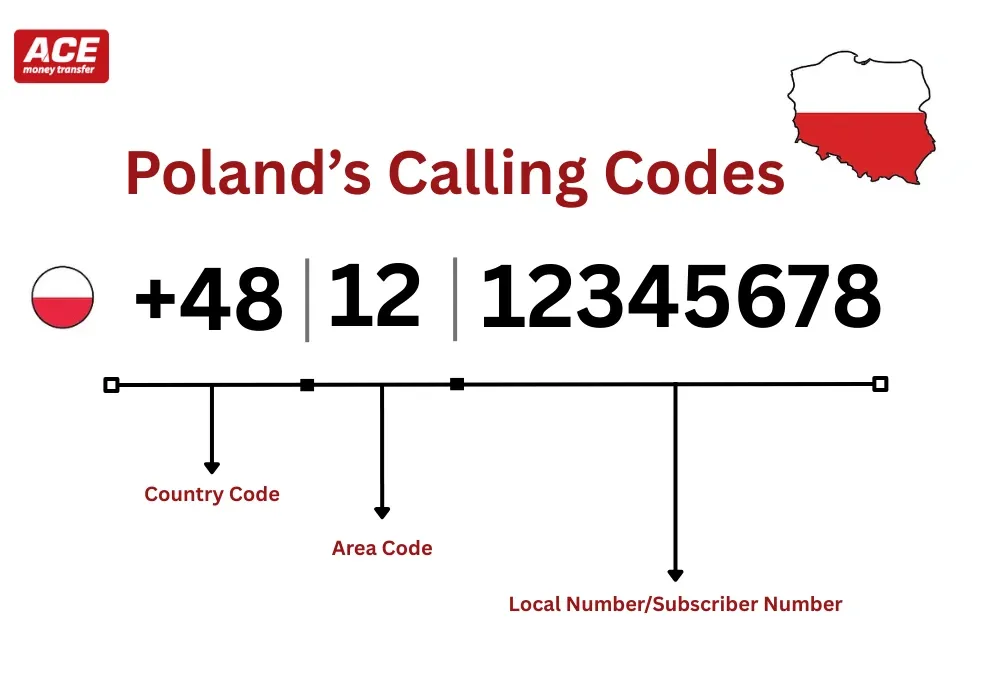
Planning a quick call to Warsaw from Italy or saving a Polish number so OTPs never fail? Here’s the short answer: Poland’s country calling code is +48. You dial +48 and then the full 9-digit Polish number. There’s no leading “0” to add or remove. If you remember “+48 + nine digits” (and use the city codes below for landlines), your calls and verification texts to Poland will connect first time. Backed by Poland’s official numbering rules and the ITU assignment.
Research (official): Poland’s international code is +48 (ITU). The national plan uses nine-digit numbers and no domestic trunk “0”
Good to know: Polish area codes are typically two digits (written before the local number). You do not add a trunk “0” whether dialing from abroad or within Poland.
City | Area Code | City | Area Code |
Warsaw | 22 | Gdańsk | 58 |
Kraków | 12 | Szczecin | 91 |
Wrocław | 71 | Białystok | 85 |
Poznań | 61 | Olsztyn | 89 |
Łódź | 42 | Rzeszów | 17 |
Katowice | 32 | Opole | 77 |
Lublin | 81 | Kielce | 41 |
Bydgoszcz | 52 | Zielona Góra | 68 |
Toruń | 56 | Gorzów Wlkp. | 95 |
No. Poland removed the trunk “0” Just use the area code + local number (total length still nine digits) and prefix with +48 from abroad.
 What prefixes do Polish mobiles use?
Poland’s regulator confirms nine-digit numbering without a trunk “0” and ITU lists +48 for Poland.
If you’re calling loved ones in Poland—or confirming a transfer—think “+48 and nine digits”. Pick the city code from the table for landlines, or dial the full 9-digit mobile. Thesis: Remember “+48 + nine digits” and you’ll avoid failed calls and OTP delays. Supported by Poland’s official numbering plan and ITU’s assignment.
No. There is no trunk “0” Use the area code and local number (total 9 digits) and add +48 from abroad.
Nine digits nationwide for landlines and mobiles.
Dial 00 48 + number (or +48 on mobile), then the 9 digits.
Yes, 800 numbers are toll-free for callers inside Poland. 801 numbers are shared-cost. Availability from abroad varies.
Yes. Saving contacts with +48 helps apps route messages and OTP codes correctly