
ACE Money Transfer
ACE Money Transfer
14 Apr 2026
Managing taxes in the UK has become increasingly digital, and HMRC online services are now essential for employees, self-employed workers, business owners, landlords, and freelancers. Whether you need to check your tax code, file a Self Assessment return, claim a refund, or manage VAT, your HMRC account is the gateway to almost every major tax-related service in the UK.
As more people rely on online tax management, understanding how HMRC login systems work has become more important than ever. According to HMRC’s Annual Report, the UK government continues expanding digital tax services and onboarding users to newer sign-in systems like GOV.UK One Login. This guide explains everything you need to know about HMRC online services in 2026, including how to create an account, sign in securely, recover lost details, troubleshoot login problems, and stay safe from scams.
HMRC online services are digital tools provided by HM Revenue & Customs that allow individuals and businesses to manage taxes online. Instead of visiting offices or mailing paper forms, users can complete most tax-related tasks digitally through a secure account. The system is designed to simplify tax management for UK residents and businesses. Once logged in, users can access a wide range of services from a single dashboard.
An HMRC account gives users access to several essential services. These include checking PAYE records, managing Self Assessment tax returns, viewing National Insurance contributions, updating personal details, and claiming refunds. Businesses can also use HMRC online services to manage VAT submissions, payroll, Corporation Tax, and the Construction Industry Scheme (CIS). For many migrants and overseas workers in the UK, online access has become particularly useful for tracking tax obligations while sending money internationally through services like ACE Money Transfers. Many users also monitor exchange trends such as GBP to PKR before making transfers home.
Almost anyone paying taxes in the UK can benefit from registering for HMRC online services. Employees, freelancers, sole traders, landlords, contractors, limited companies, and pensioners frequently use the system. Self-employed workers especially rely on HMRC accounts for annual tax filing. In recent years, digital tax filing has increased significantly as HMRC pushes toward a fully digital tax administration model.
Creating an HMRC online account is usually straightforward, although identity verification may vary depending on the service you need. The UK government currently uses two sign-in systems: Government Gateway and GOV.UK One Login. However, Government Gateway remains the primary method for most HMRC services.
If you have never used HMRC online services before, you must first create sign-in credentials. During registration, HMRC will guide you through identity verification steps.
You will usually need:
Once registration is complete, you receive a unique Government Gateway user ID and create a password for future logins. HMRC may also send an activation code by post for certain services.
The UK government is gradually transitioning users toward GOV.UK One Login. This newer system allows users to access multiple government services with one secure email-and-password combination instead of a long Government Gateway ID. HMRC began onboarding selected new users to One Login in 2025 and 2026, although most existing users still sign in through Government Gateway. If you already have Government Gateway credentials, HMRC currently advises continuing to use them as normal.
Signing in to HMRC online services depends on which login method your account uses. The process is generally secure and includes two-factor authentication for added protection. Users can access services through the official GOV.UK website or the HMRC mobile app.
Government Gateway remains the most widely used login method for HMRC services, and users can sign in or set up access for relevant services there. Some users may need to prove their identity before they can access a service. Users sign in using their user ID and password, followed by a security code sent via text message or authentication app.
After signing in, users can access services such as:
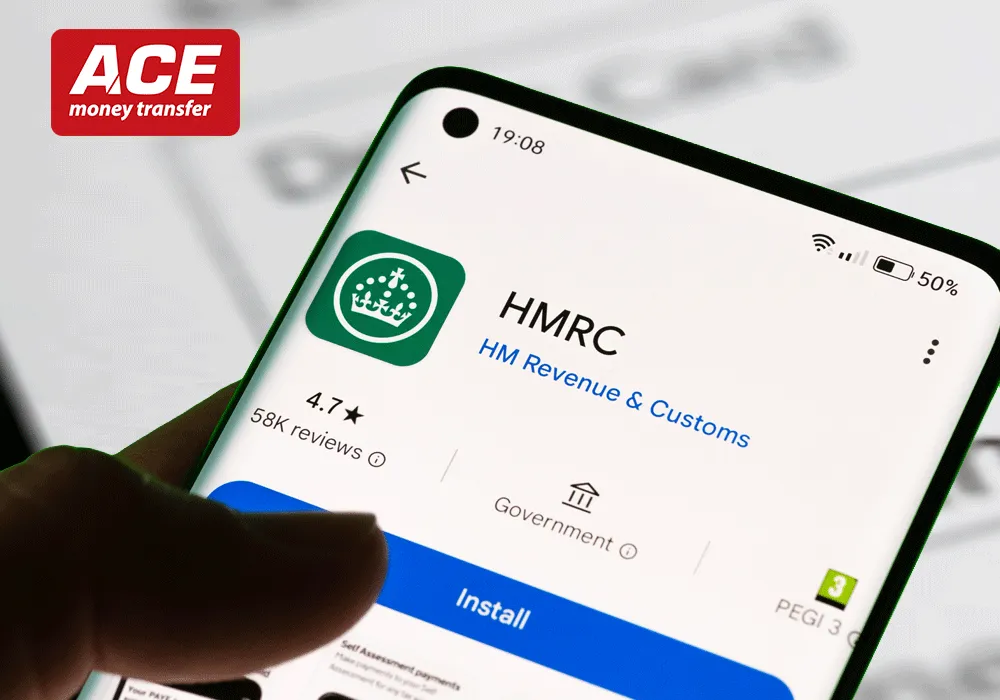
The HMRC app has become increasingly popular because it simplifies account access and verification. Through the app, users can:
Many users prefer the app because it reduces the need for SMS verification and speeds up login processes.
Although HMRC’s system is designed for convenience, login problems are still common. Many users experience issues with forgotten passwords, missing verification codes, or identity checks. Fortunately, most problems can be resolved quickly.
HMRC provides recovery options if you forget your Government Gateway details. Users can reset passwords online, change a password, or request their user ID through email or post, and may need to contact HMRC if recovery fails. HMRC may also send a confirmation during the recovery process. If both details are lost, HMRC may require additional identity verification before restoring access. It is important to store your login details securely because repeated failed attempts can temporarily lock your account.
One of the most reported issues involves users not receiving SMS security codes. This may happen because of network restrictions, international travel, outdated phone numbers, or blocked premium messages. Some users abroad have reported difficulty receiving codes while travelling internationally. Others experienced issues after changing mobile devices. Using the HMRC app for authentication can often solve this issue more reliably than SMS verification.
As HMRC online usage grows, phishing scams and fake login pages have also increased. Fraudsters frequently send fake emails or text messages pretending to be from HMRC. Users should always verify that they are using the official GOV.UK website before entering login details.
Scam emails often create urgency by claiming you are owed a refund or need immediate account verification. Many include fake links that resemble HMRC login pages, so check the website link carefully before signing in. Users should follow only official GOV.UK security guidance and links. Some scam victims have accidentally entered Government Gateway details into fake websites, leading to compromised accounts.
To stay safe:
HMRC recommends keeping login credentials private and changing passwords regularly. Users should also keep their computer and login information secure. Users should avoid sharing verification codes or storing passwords insecurely. Public Wi-Fi networks should also be avoided when accessing tax accounts, especially while travelling. Do not download files or attachments from suspicious HMRC messages.
Business owners and freelancers rely heavily on HMRC’s digital services. From payroll management to VAT filing, online access has become essential for compliance. The UK government continues investing in digital tax infrastructure to support businesses more efficiently.
Freelancers and self-employed workers use HMRC online services to:
You can also save your progress while completing your tax return online.
Missing tax deadlines, including the 31 January filing deadline, can result in penalties, making online access especially important for independent workers.
Businesses registered for VAT can submit returns, manage payments, and access compliance tools online. Employers also use HMRC systems for payroll reporting and PAYE management. Digital tools have significantly reduced paperwork for UK businesses over the last decade. Many international workers and businesses also track currency movements like GBP to INR while managing overseas payments and financial planning.
HMRC is moving steadily toward a more unified digital identity system through GOV.UK One Login. The goal is to simplify access to government services while improving security and user experience. Industry experts expect Government Gateway to remain active during the transition period, but more users will gradually move toward One Login in the coming years. The UK government is also testing newer authentication methods, including voice biometrics, so users should watch for HMRC updates as these sign-in changes continue.
HMRC online services have transformed how individuals and businesses handle taxes in the UK. From filing Self Assessment returns to checking refunds and managing payroll, digital access now plays a central role in everyday financial management. Understanding how Government Gateway and GOV.UK One Login work can help users avoid common login problems and keep accounts secure.
As HMRC continues modernising its systems, online tax management is expected to become even faster and more user-friendly. For UK residents managing international finances alongside their tax responsibilities, staying digitally connected is increasingly important. Whether you are self-employed, employed, or running a business, learning how to use HMRC online services efficiently can save time, reduce stress, and improve financial organisation.
You can create an HMRC online account through the official GOV.UK website. During registration, you will complete an online application, provide personal details, verify your identity, and receive Government Gateway login credentials. Some services may also require an activation code sent by post. You can find full sign-up steps on the HMRC online services page.
No, they are different systems. Government Gateway uses a unique user ID and password, while GOV.UK One Login uses an email address and a password. HMRC is gradually transitioning some users to One Login, but most people still use Government Gateway.
Start by using HMRC’s password or user ID recovery tools. If you still cannot access the account or need help to act on a recovery issue, contact the HMRC Online Services Helpdesk. If verification codes are not arriving, check your registered phone number or try using the HMRC app instead. Persistent issues may require contacting the HMRC Online Services Helpdesk.
Yes, HMRC online services can be accessed internationally. However, some users abroad report issues receiving SMS verification codes. Using the HMRC app for authentication is often more reliable while travelling overseas.
Fake HMRC emails often contain suspicious links, spelling mistakes, or urgent refund claims. Always access HMRC services directly through GOV.UK instead of clicking links in emails or text messages. These checks also help you avoid scams when handling different things in your tax account. Never share your Government Gateway password with anyone. Where available, you can opt for official HMRC communication preferences instead of relying on unexpected messages.
Yes, when you register for HMRC online services, your email address may be used by the Government Gateway to communicate important messages, including updates about your account and notifications related to other government online services you use.
Direct digital submission reduces the risk of manual arithmetic and transcription errors by allowing you to enter and submit tax information electronically. This improves accuracy and speeds up processing times.
Yes, HMRC online services provide alerts and notifications to help you stay informed about important filing and payment deadlines, reducing the risk of penalties.
Absolutely. HMRC’s online platform is designed to let you handle most tax matters independently, including submitting returns, making payments, and updating details, without needing to contact a helpline.
HMRC online services are generally available 24/7, allowing you to access your account and manage your taxes at any time. However, occasional interruptions may occur due to maintenance or technical issues.
When you register for HMRC online services, a secure online mailbox is created for you. This mailbox stores official communications from HMRC, such as statutory notices, reminders, and responses to your queries, all accessible through your online account.
Enjoy guaranteed competitive PKR exchange rates, ultra-fast transfers, and zero fee promotions directly to bank accounts and mobile wallets.